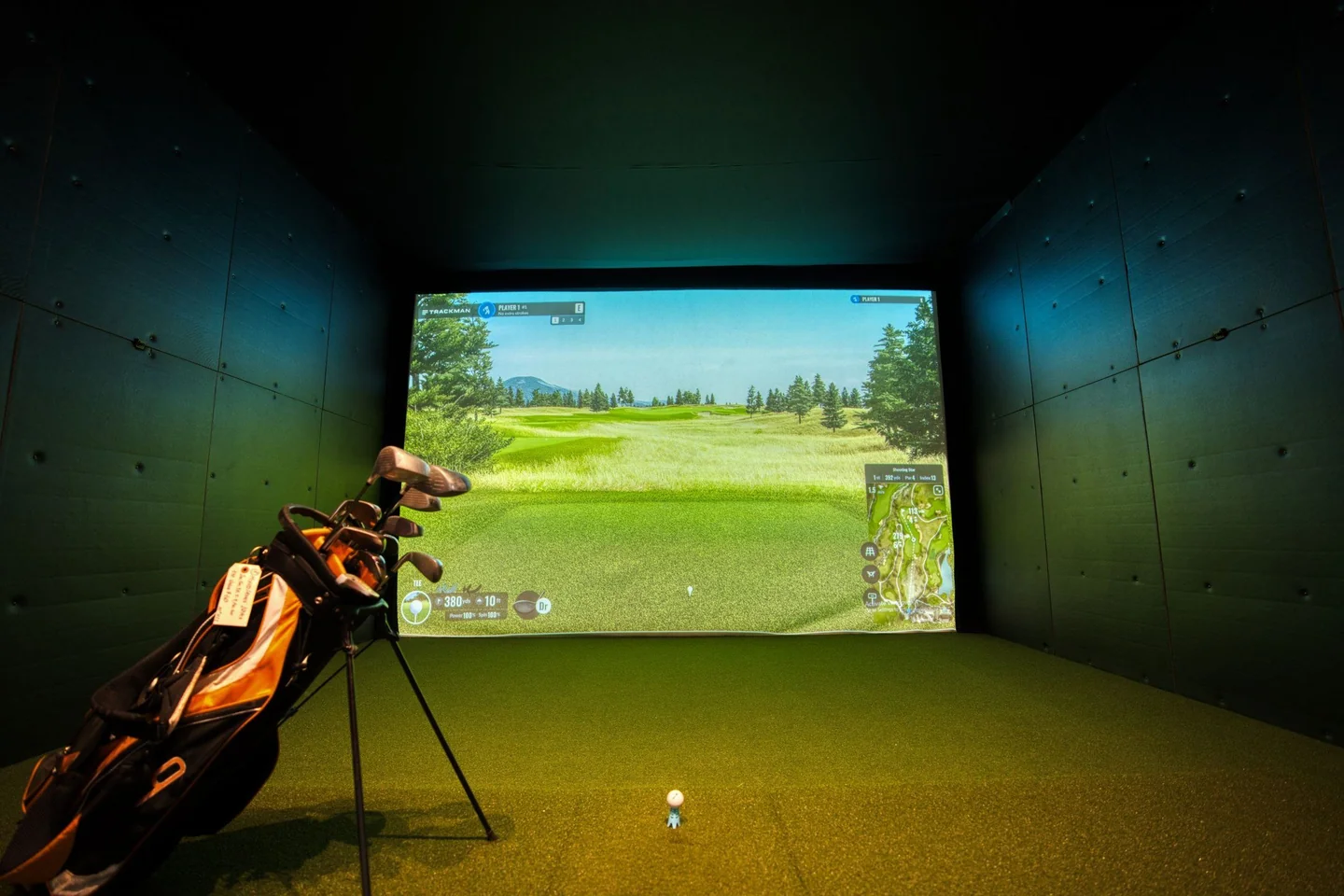
For a first indoor golf simulator visit, confirm whether you are booking a bay or a lesson, how time is charged and which equipment is included. Ask the venue to set up the session for your experience and playing side. You can then choose between simple practice, games or a virtual round without assuming every facility works the same way.
Choose the session before choosing the course
A simulator booking can be a practice session, a social game, a lesson or an organised competition. Tell the venue what you want to do and whether anyone in the group is new to golf. A first lesson and an unsupervised group booking provide different kinds of help.
Confirm whether the price covers the bay or each player, the number of participants allowed, equipment hire and the booked duration. Ask how much setup time is included and what happens if you arrive late. Read the current cancellation terms before paying; do not assume another venue's policy applies.
As operator examples, Five Iron Golf describes supplied clubs at its venues, while Caddi Club explains its own hire and booking arrangements. Those are examples to check, not a promise that a nearby simulator offers the same package.
Ask what to bring and what to leave at home
If you have clubs, ask whether you can use them and which cleanliness or equipment rules apply. Tell staff your playing side when reserving hire clubs. A shared bay may need a different arrangement if the group includes both right- and left-handed players.
Check the ball policy too. Some facilities supply specific balls or ask players to avoid particular markings or damaged surfaces. Follow the actual operator's instructions instead of bringing a bag of practice balls and assuming they are suitable.
| Item | Ask the venue |
|---|---|
| Clubs | Are hire clubs included, and are suitable options available for each player's side and size? |
| Balls and tees | Which ones should be used in this bay? |
| Footwear | What is permitted on the hitting mat and surrounding floor? |
| Session access | Do players need an account, app or advance setup? |
| Help | Will staff provide an introduction, or should a lesson be booked separately? |
A comfortable glove can be useful if you normally wear one. Choose it for fit and comfort, not an unsupported claim that a special indoor glove improves the simulator's accuracy. Our glove-use guide and fit guide explain the ordinary equipment decision.
Let staff explain the bay before you swing
Ask where to stand, where the ball should be placed and which areas must stay clear during a swing. Keep other players, bags, drinks and furniture outside the permitted hitting space. Do not step into a neighbour's swing area to retrieve an item.
Confirm how a left-handed player should use the setup rather than moving sensors or equipment yourself. Report a loose mat, damaged screen or equipment issue to staff. A screen showing a ready message does not replace the venue's safety introduction.
Learn the basic controls: selecting a player, changing a club where required, ending a session and asking for assistance. A short explanation at the beginning prevents the group spending most of its booked time trying to resolve an unfamiliar menu.
Begin with a simple practice mode
For the first few shots, choose a mode with a clear target and let staff confirm that the session is recording the intended player. You do not need to interpret every number on the screen immediately.
Trackman's simulator overview shows examples of practice, shot analysis and virtual-course software. Equipment and software vary between venues, so ask which features your booking actually includes. A manufacturer's advertised capability does not mean every facility has enabled the same options.
Use the visit to learn how the session works and become comfortable with the equipment. If you want swing instruction or help interpreting measurements, book appropriate coaching rather than treating an unfamiliar display as a complete diagnosis of your game.
Understand the settings before starting a virtual round
A virtual round can have settings for tee choice, putting, conceded distances, penalties or the way players change turns. Ask which settings are active. Two groups playing the same virtual course with different settings are not necessarily recording directly comparable scores.
Start with a manageable number of holes for the group's experience and booked time. Do not assume a timed bay booking guarantees completion of 18 holes. Explain whether the group wants a casual game or an organised format before configuring it.
Our scoring glossary can help with the terminology. If a venue runs a league or competition, use its own written conditions rather than borrowing the rules of a different simulator or outdoor event.
Keep the virtual result in context
A simulator session does not reproduce every part of an outdoor round: walking between shots, changing lies, weather and course traffic are different experiences. Avoid judging your entire outdoor ability from one visit or comparing scores without checking the setup.
Do not assume a virtual score can be submitted to your official handicap record. Ask your authorised handicap service about acceptable scores. A venue's entertainment leaderboard and an official handicap return are separate things.
If your next step is a real course, use our range-versus-course guide and first-round checklist for the additional preparation.
Finish the session with a useful next step
Check whether any session results can be saved to your own account and ask staff which settings were used. That context makes a later visit easier to compare. Follow the venue's instructions for returning clubs and leaving the bay ready for the next group.
If you wore a glove, let it dry according to its care instructions rather than leaving it compressed in a closed pocket. Our care guide covers the material questions. A successful first session is one where you understand the setup, enjoy the experience and know what you would like to practise next.